WatchList Tool
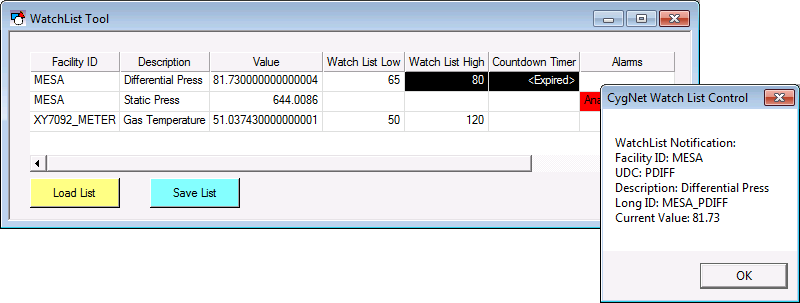
 The WatchList Tool is used to monitor a custom list of points in CygNet Studio. When a point falls out of its specified range or its timer expires, the WatchList tool can notify the user in multiple ways, including: blinking the cell that is out of range and, optionally, by displaying a pop-up message box, or playing a WAV (.wav) file.
The points are added to the WatchList object in Run mode by the user. The display columns of the watchlist and the notification message are defined in Edit mode. The notification WAV file is selected in Run mode. Points in the WatchList have the same right-click options as a Text Tool object: viewing point configuration, viewing history values, and trending, etc. See Using the WatchList Tool in Run Mode.
When adding a point, the user specifies the settings that trigger the notification. These can be when the value of the point exceeds a specified limit (high or low) or when a timer expires. The limits are not alarm setpoints; they are WatchList setpoints. The setpoint values defined for a point in the WatchList do not affect point alarming. Conversely, point alarming does not affect WatchList notification.
A point remains on a WatchList control window until it is removed by the user (right-click in Run mode and click Remove), its configuration dictates removal, or the WatchList window is closed.
A point can be configured to be automatically removed when its timer expires, its state changes, or its state returns to normal. The state change and return to normal are based on alarm setpoints, not WatchList configuration.
A timed event reminder can also be added to the WatchList in Run mode.
The points persist on the WatchList as long as TheView with the WatchList is open. Once TheView is closed the points are removed. (The point list can be persisted using script as long as CygNet Studio is opened. See Storing and Retrieving a WatchList for more information.)
More:
 WatchList Tool - Configuring Columns
WatchList Tool - Configuring Notifications
Using the WatchList Tool in Run Mode
WatchList Tool - Properties, Events, and Methods

